Create a Cluster for GKE Using Shared VPC
Shared Virtual Private Cloud (VPC) allows an organization to connect resources from multiple projects to a common VPC network so that they can communicate with each other securely and efficiently using internal IPs from that network. When you use Shared VPC, you designate a project as a host project and attach one or more other service projects to it. The VPC networks in the host project are called Shared VPC networks.
This topic shows you how to set up a GKE cluster with shared VPC to be managed as an Ocean cluster.
Step 1: Configure Shared VPC
Make sure you have a running GKE cluster with a shared VPC configured.
Step 2: Set Permissions
Grant the Compute Network User role to the Spot Service Account you created when you first created your Spot Account.
-
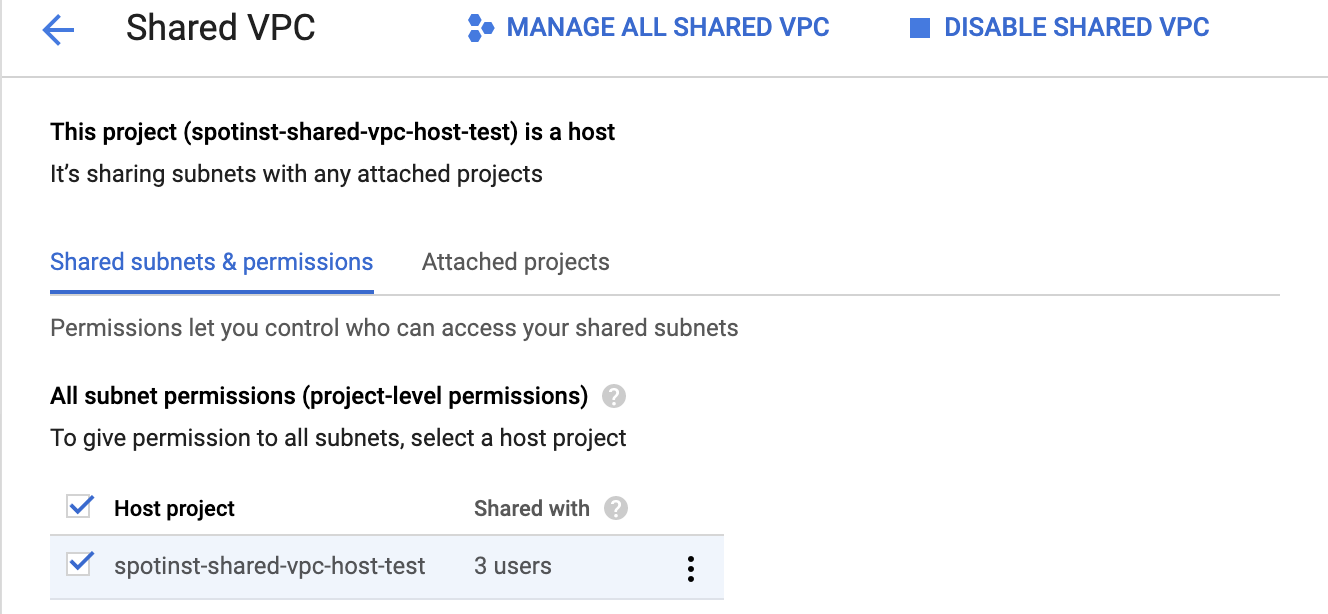
Browse to the shared VPC page in your GCP project.
https://console.cloud.google.com/networking/xpn/details?project=<HOST_PROJECT_ID> -
Choose your host project and click Add Members from the menu to the right.
-
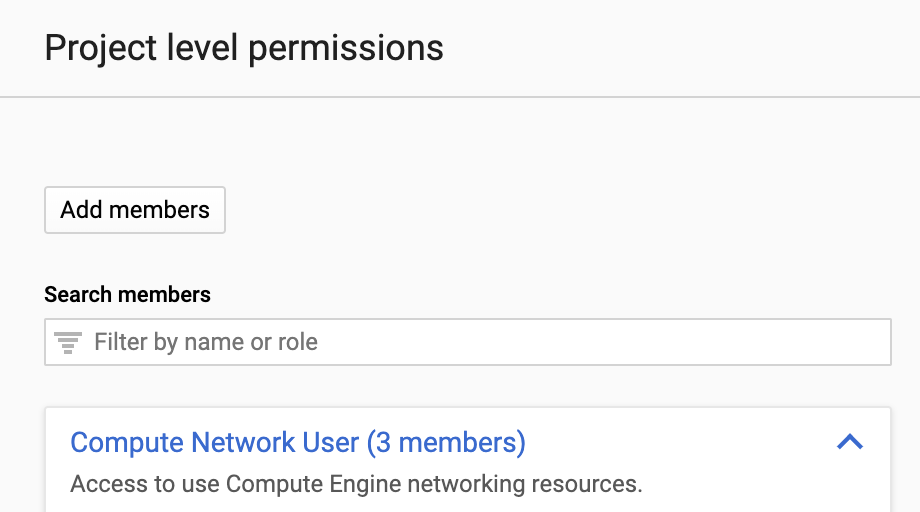
Click Add Members.
-
Fill in the required service account and grant it the Compute Network User role.
Step 3: Create Ocean Cluster
To create an Ocean cluster that will manage your GKE cluster, use this procedure.